# Web Proxy
## Intercepting Requests
Let us turn request interception back on in the tool of our choosing, set the `IP` value on the page, then click on the `Ping` button. Once our request is intercepted, we should get a similar HTTP request to the following :
```http
POST /ping HTTP/1.1
Host: 46.101.23.188:30820
Content-Length: 4
Cache-Control: max-age=0
Upgrade-Insecure-Requests: 1
Origin: http://46.101.23.188:30820
Content-Type: application/x-www-form-urlencoded
User-Agent: Mozilla/5.0 (Windows NT 10.0; Win64; x64) AppleWebKit/537.36 (KHTML, like Gecko) Chrome/91.0.4472.114 Safari/537.36
Accept: text/html,application/xhtml+xml,application/xml;q=0.9,image/avif,image/webp,image/apng,*/*;q=0.8,application/signed-exchange;v=b3;q=0.9
Referer: http://46.101.23.188:30820/
Accept-Encoding: gzip, deflate
Accept-Language: en-US,en;q=0.9
Connection: close
ip=1
```
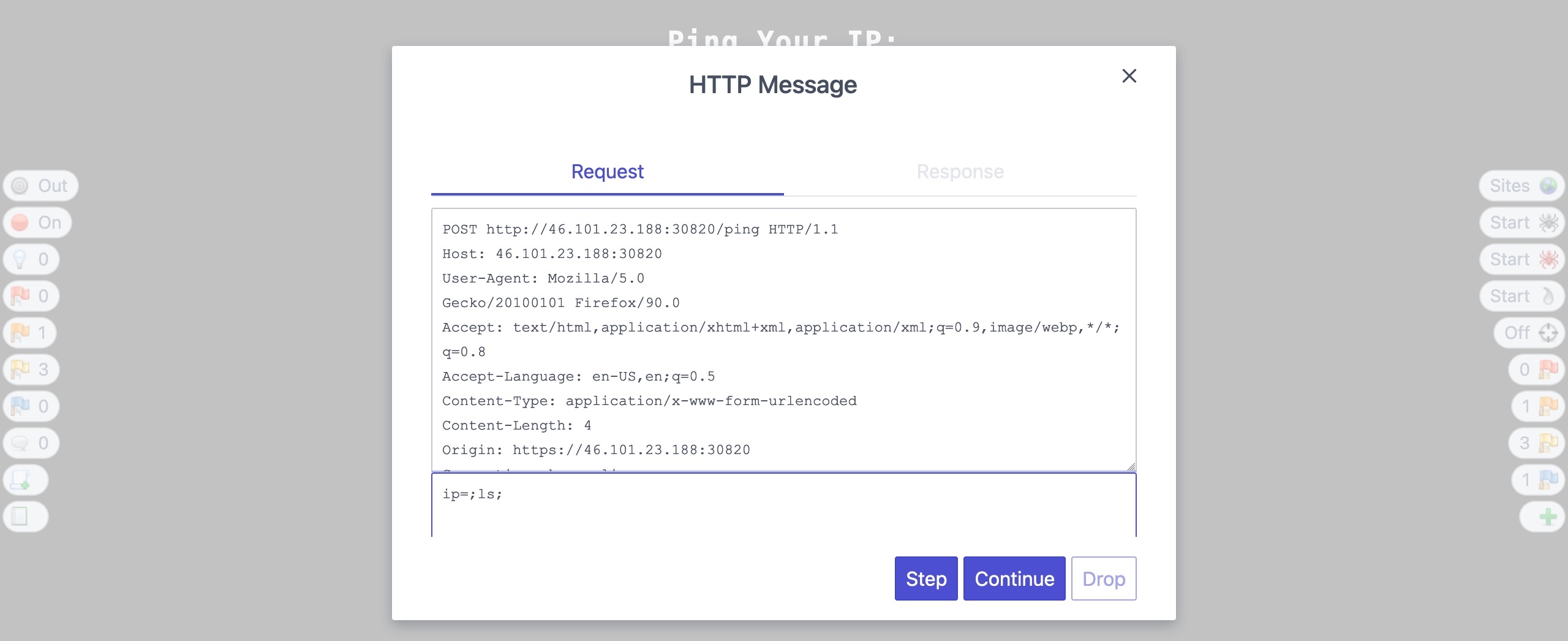
So, let us change the `ip` parameter's value from `1` to `;ls;` and see how the web application handles our input:
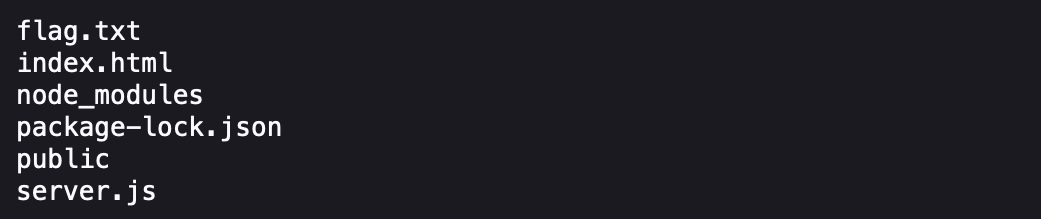
Once we click continue/forward, we will see that the response changed from the default ping output to the `ls` output, meaning that we successfully manipulated the request to inject our command:
This demonstrates a basic example of how request interception and manipulation can help with testing web applications for various vulnerabilities, which is considered an essential tool to be able to test different web applications effectively.
## Repeating Requests
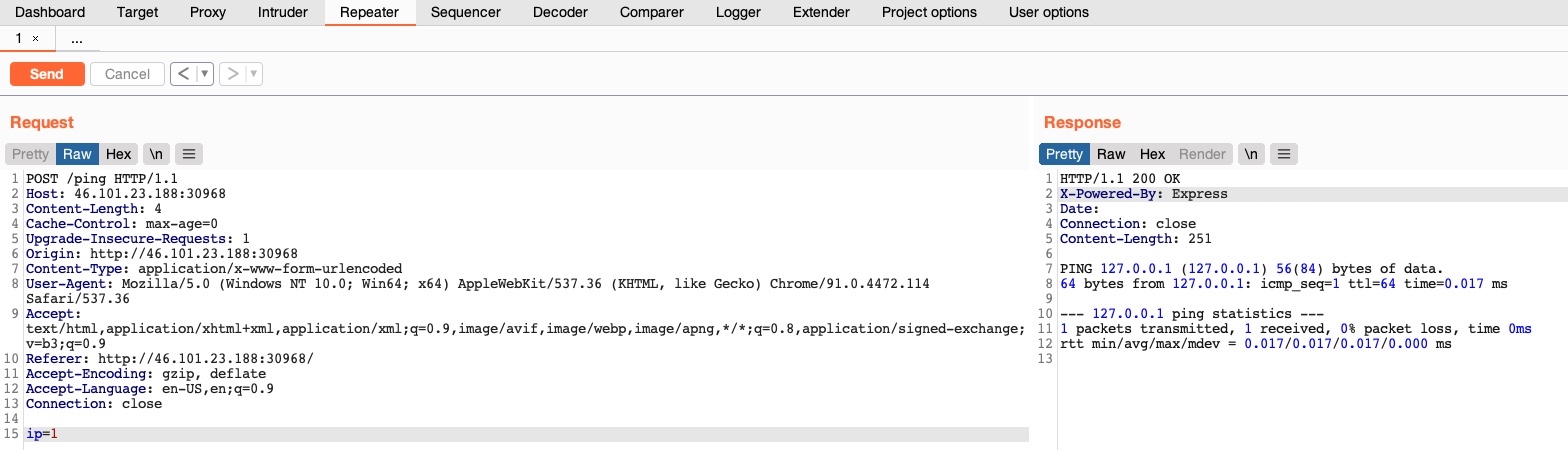
Once we locate the request we want to repeat, we can click \[`CTRL+R`] in Burp to send it to the `Repeater` tab, and then we can either navigate to the `Repeater` tab or click \[`CTRL+SHIFT+R`] to go to it directly. Once in `Repeater`, we can click on `Send` to send the request:
> Tip: We can also right-click on the request and select `Change Request Method` to change the HTTP method between POST/GET without having to rewrite the entire request.
## Encoding/Decoding
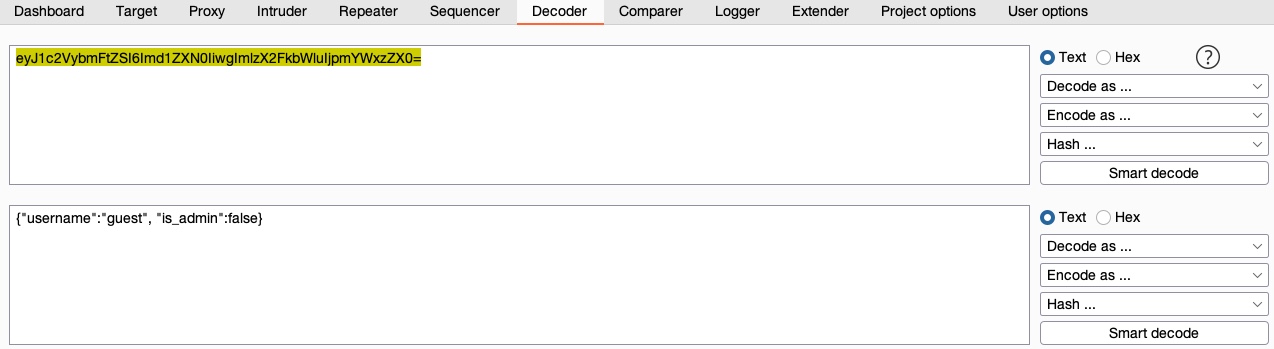
We can input the above string in Burp Decoder and select `Decode as > Base64`, and we'll get the decoded value:
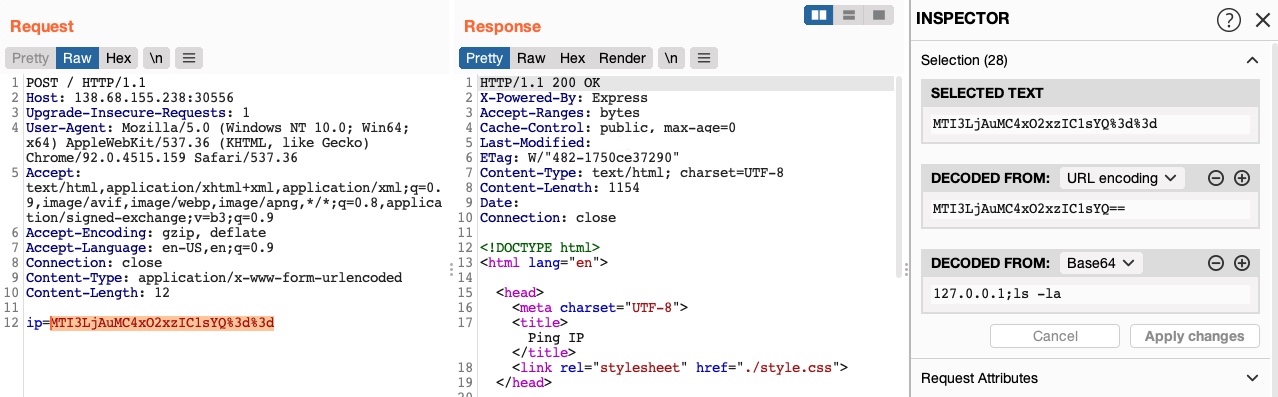
In recent versions of Burp, we can also use the `Burp Inspector` tool to perform encoding and decoding (among other things), which can be found in various places like `Burp Proxy` or `Burp Repeater`:
## Proxying Tools
### Nmap
As we can see, we can use the `--proxies` flag. We should also add the `-Pn` flag to skip host discovery (as recommended on the man page). Finally, we'll also use the `-sC` flag to examine what an nmap script scan does:
```shell-session
eldeim@htb[/htb]$ nmap --proxies http://127.0.0.1:8080 SERVER_IP -pPORT -Pn -sC
Starting Nmap 7.91 ( https://nmap.org )
Nmap scan report for SERVER_IP
Host is up (0.11s latency).
PORT STATE SERVICE
PORT/tcp open unknown
Nmap done: 1 IP address (1 host up) scanned in 0.49 seconds
```
### Metaexploit
Finally, let's try to proxy web traffic made by Metasploit modules to better investigate and debug them. We should begin by starting Metasploit with `msfconsole`. Then, to set a proxy for any exploit within Metasploit, we can use the `set PROXIES` flag. Let's try the `robots_txt` scanner as an example and run it against one of our previous exercises:
```shell-session
eldeim@htb[/htb]$ msfconsole
msf6 > use auxiliary/scanner/http/robots_txt
msf6 auxiliary(scanner/http/robots_txt) > set PROXIES HTTP:127.0.0.1:8080
PROXIES => HTTP:127.0.0.1:8080
msf6 auxiliary(scanner/http/robots_txt) > set RHOST SERVER_IP
RHOST => SERVER_IP
msf6 auxiliary(scanner/http/robots_txt) > set RPORT PORT
RPORT => PORT
msf6 auxiliary(scanner/http/robots_txt) > run
[*] Scanned 1 of 1 hosts (100% complete)
[*] Auxiliary module execution completed
```
---
# Agent Instructions: Querying This Documentation
If you need additional information that is not directly available in this page, you can query the documentation dynamically by asking a question.
Perform an HTTP GET request on the current page URL with the `ask` query parameter:
```
GET https://eldeim.gitbook.io/brain_fuck/notes/certifications/eastereggs/htb-cbbh/using-web-proxies/web-proxy.md?ask=
```
The question should be specific, self-contained, and written in natural language.
The response will contain a direct answer to the question and relevant excerpts and sources from the documentation.
Use this mechanism when the answer is not explicitly present in the current page, you need clarification or additional context, or you want to retrieve related documentation sections.